Winter party invitation templates with RSVP and directions
For the cold months that are not about one holiday: lodge weekends, solstice nights and cozy brunches. Upload the winter card you already have, pick a template below, and guests get a page with RSVP, directions through the snow, a countdown and a wishes wall.


Winter templates
Tap Preview to open a template as a live page on a phone, with a sample card, the schedule and the photos. Your card and your details replace them.
Ideas for a winter gathering
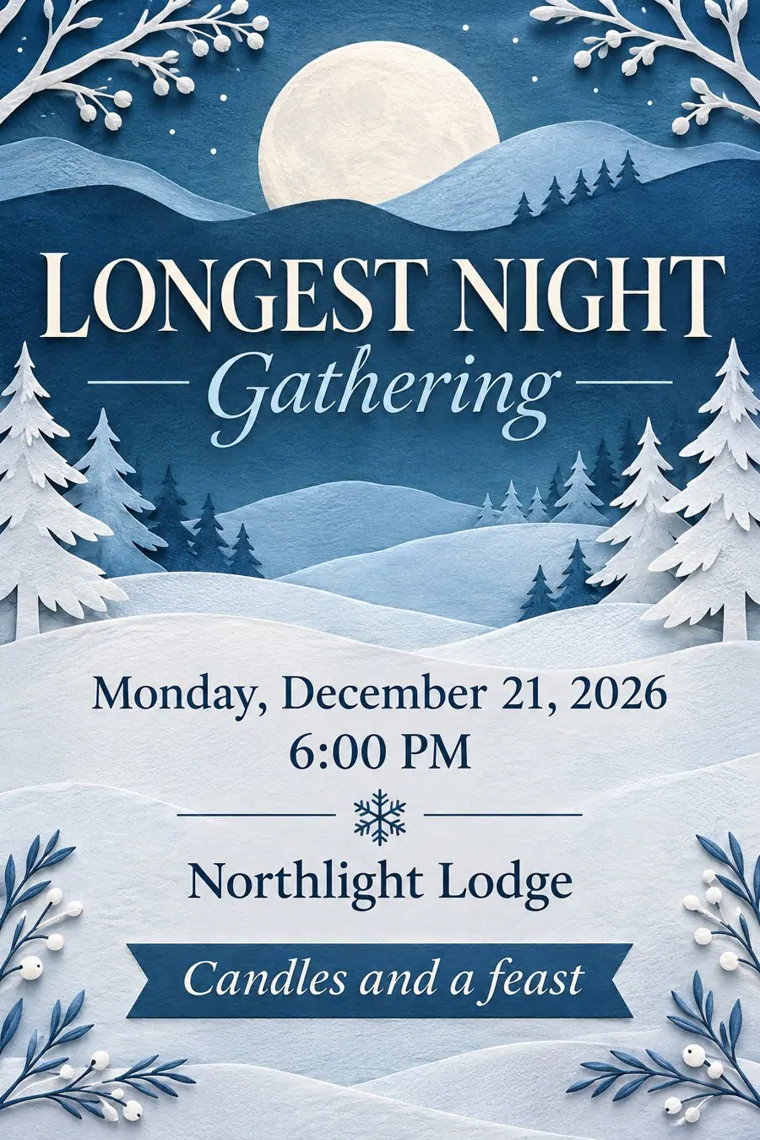
The longest night, with candles and soup. Winter Solstice was drawn for a quiet evening.
Share the address, the arrival time and what to pack. Directions help on roads guests do not know.
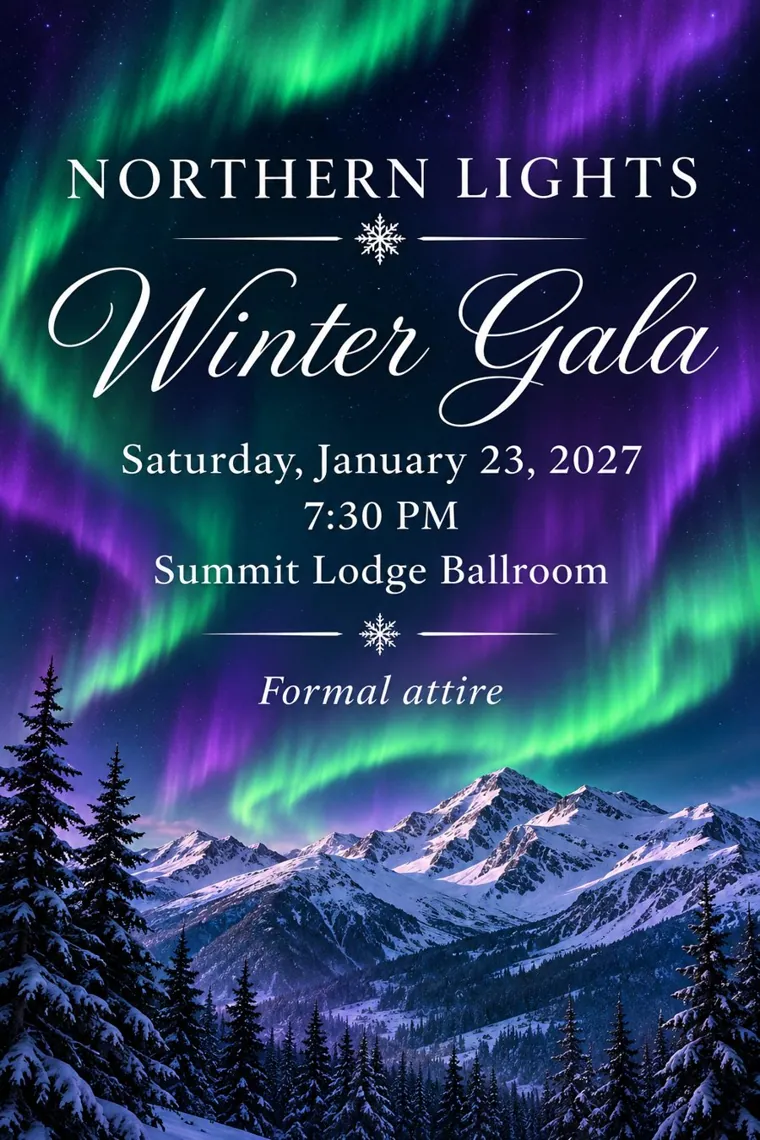
Northern Lights brings an aurora behind your card for a formal evening.
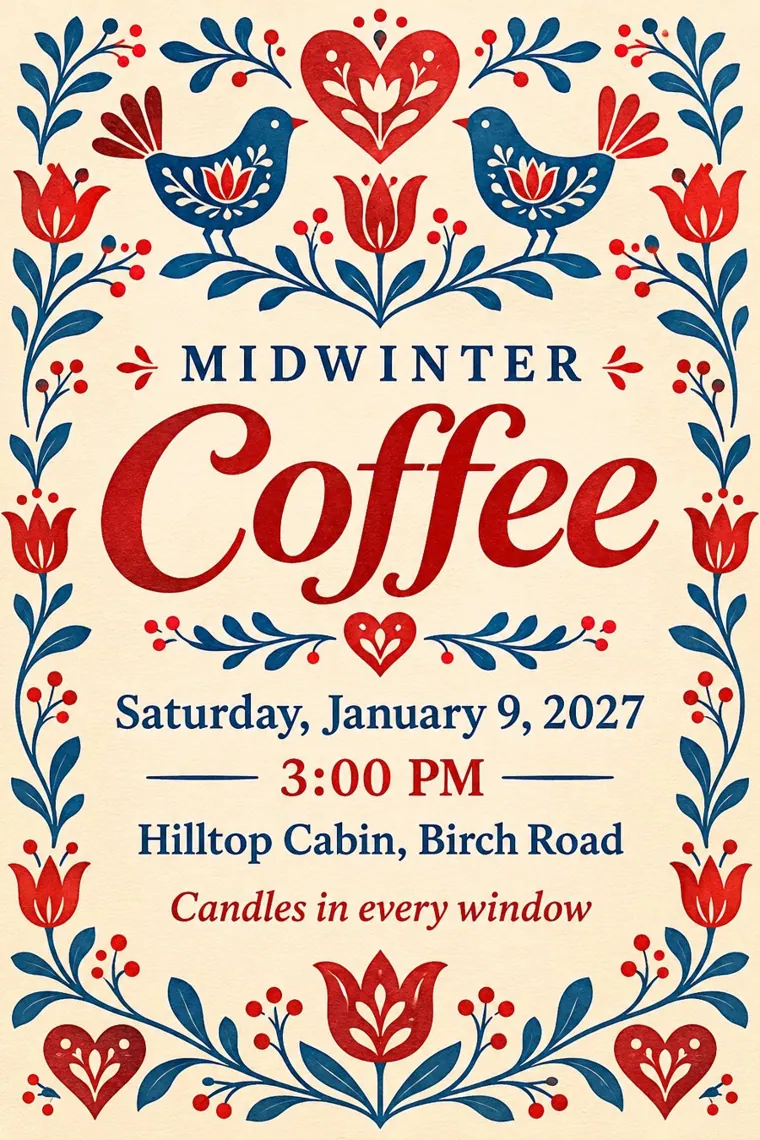
Nordic Folk suits coffee, pastries and a slow morning with friends.
One link for the group with the meeting point, the lodge and a headcount for rooms.
Meet at the rink, then hot chocolate after. Add both places to the schedule.
What your guests get
Guests reply on the page, and you see who is coming and how many.
A Google Maps link from your venue, so nobody has to ask where it is.
The date stays in their calendar, with a countdown to the day.
Guests leave wishes and share photos on the same page.
Tap to call the host or a family member, with the numbers you choose.
Send one link instead of a flat picture, and edit details later without a new link.
What to write on a winter invitation
The longest night
Candles, soup and good company
Monday, December 21 at 7:00 PM
Reply so we save you a bowl
A weekend at the lodge
Friday to Sunday, January 15 to 17
Maple Ridge Lodge
Reply by January 5 so we can book rooms
Winter brunch
Coffee, cardamom buns and a fire
Sunday, February 7 at 11:00 AM
Reply on the page
- Winter roads are slower. Put the start time and a note about parking or snow on the page.
- Add the venue so guests get directions, even to a lodge off the main road.
- Send the link three weeks ahead, longer for a weekend away.
- Ask in the RSVP if guests need a place to stay.
How it works in three steps
- Upload the winter invitation you already have: an image, a PDF or a short video.
- Check the date, time and venue we read from it, then pick a template and a color.
- Preview the page, publish, and send one link on WhatsApp, by text or by email.
Questions about winter invitations
How are winter templates different from the Christmas ones?
They carry no holiday symbols, so they suit any gathering from December to February, such as a solstice dinner, a lodge weekend or a brunch.
How do guests RSVP to a winter party?
They open the link and tap to reply with how many are coming. You see every reply and the total on your dashboard.
Can I change the plan if the weather turns?
Yes. Edit the time, the venue or the note, and the same link shows the update to every guest.
Can I use a card I made in Canva?
Yes. Download it as an image or a PDF and upload it. The card stays as you made it.
Your first two pages are free.
Upload your card