Everything an invitation page does.
A card is a picture. A CardToPage page is the picture plus the things guests actually need to do: reply, find the venue, call you, add the date. All on one link you can change after sending.
 RSVP
RSVP Directions
 Wishes
 Music
Music Countdown
 Photos
Replies,countedforyou.
Guests reply on the page: yes, no, how many, dietary needs and your own questions. Every answer lands on one dashboard you can export for the caterer.
Add RSVP to your cardNomore“whereisthevenue?”
Your venue sits on the invite with a live map. One tap and every guest has turn-by-turn directions in Google Maps.
Add directions to your cardAwallofwishes,fromeveryone.
Included free with your full CardToPage website. Guests leave a blessing or a note right on your invite, on one wall you keep long after the day.
Find a theme for your Wishes Wall cardtopage.com/i/emma-and-james

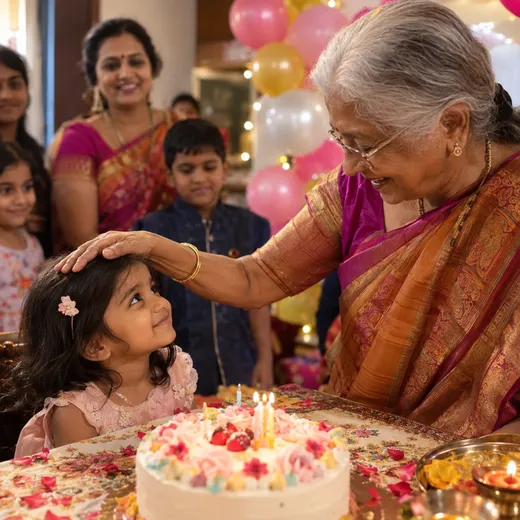



Everyguest'sphotos,onewall.
Add Photo Wall to your website so guests can share their photos. You approve what shows, and everyone relives the day in one place.
See the Photo Wall add-onPlanschanged?Justupdatetheinvite.
Date moved, venue changed, one more function. Update the invite on your dashboard: the link stays the same, and everyone who has it sees the new details. No corrected card, no apology message.
Yoursongplaysastheyopenit.
Add your own track or a YouTube link. It starts when the invitation opens, and guests can pause it with one tap.
Countingdowntothebigday.
Days, hours and minutes to your event, right on the invite. On the day it switches to a Live badge while it is on.
Oneverycalendarinonetap.
Every function, with its time and venue, lands on the guest's own calendar. Phone reminders do the rest.
Lostguest?Onetaptotherightperson.
Your numbers sit on the invite with names beside them, so a guest who is running late calls the right person, not the bride.
Severalevents.Onelink.
Welcome drinks, the ceremony, dinner, the after-party. Each with its own time, venue and directions, all on the same invite.
Anaddressyoucansayoutloud.
Your invite lives at cardtopage.com/i/your-names. Easy to read out on a call, easy to type, and it never changes.
More ways it helps.
Everythingyourguestsneed.
One link does it all. Nothing to install, works on every phone.
 WhatsApp in a tap
Questions about features.
Do guests need to install an app?
No. The page opens in any phone browser from the link you share on WhatsApp, and guests do not sign in.
Which features come with the free Starter website?
Your card, one event and venue with Google Maps directions, a standard color, a random link, WhatsApp sharing and a QR code. RSVP, the Wishes Wall, music, gallery, tap-to-call and the countdown come with the full website.
How do guests RSVP?
They reply on the page with their name and, if you ask, their WhatsApp number, dietary notes and up to two questions of your own. Every reply lands on your dashboard, where you can export them.
Can I change the details after sending the link?
Yes. Edit the date, venue or anything else on your dashboard. The link stays the same, so everyone who has it sees the update.
Can guests share their photos?
Yes, with the Photo Wall add-on on a full website. Guests upload photos to your page and you approve which ones appear.
Does one link work for several functions?
Yes. The full website lists several events on one link, each with its own date, time and venue.
Yournextcelebrationstartshere.
Free to build. Two free Starter websites, or pay once for the full website.